Usero Journal
We spent an evening inside Olvy’s AI release notes. Then we built the opposite.
Before building a changelog drafter into Usero, I spent an evening inside the best-known one: Olvy’s AI release notes. Real trial workspace, real generation runs, screenshots of everything.
Usero’s whole pitch is feedback in, merged pull request out. A changelog is the last step of that loop, the part where you tell users the thing they asked for shipped. So before writing a line of it, I made a throwaway Olvy workspace for a fictional calendar app called Compass, took the Business trial, and drove the release-notes flow end to end: pasted in eight fake PR titles, generated, published, and read the public page a user would see.
One piece of context up front. Olvy announced it was sunsetting, then was acquired by Amoeboids, an Atlassian Marketplace vendor, in early 2025. Amoeboids says the product continues standalone. Everything below describes what the product does today, on a paid-tier trial, driven by hand.
The parts Olvy gets right
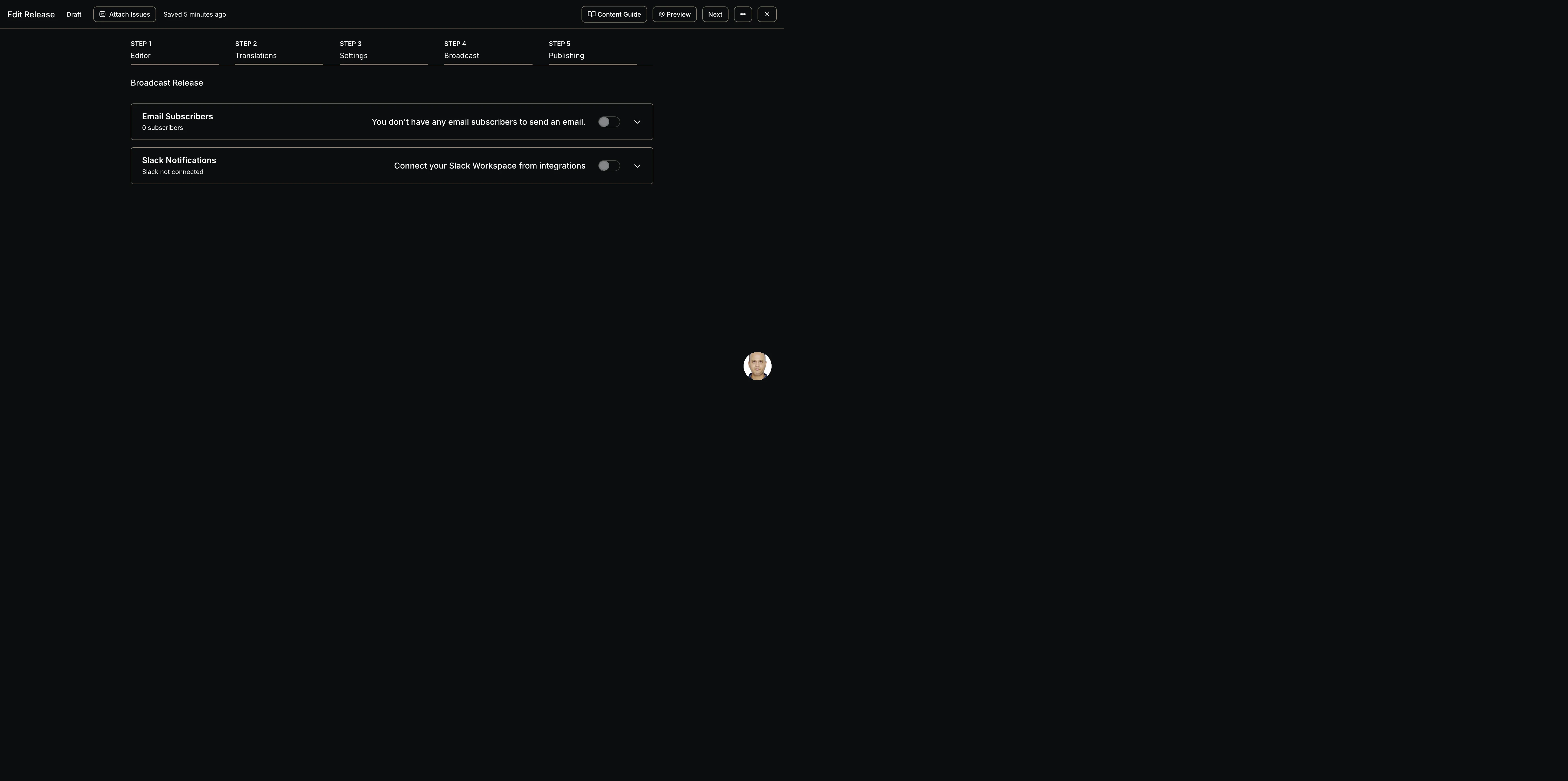
Credit first, because the distribution machinery is well built. Creating a release opens a 5-step wizard: Editor, Translations, Settings, Broadcast, Publishing. By the time you hit publish you have set the version, the slug, a CTA link, an OG image, an email broadcast to subscribers, a Slack notification, a schedule or a backdate, an expiry date, and which user segments can even see the release. Nothing ships half-configured.
The analytics page is the other strong surface: page views, unique visitors, CTA clicks, widget views, subscribers, and a reaction and sentiment breakdown per release. Segment-gated releases and backdating are thoughtful touches you will not find in most changelog tools. And the raw speed is real: from pasted notes to a live hosted page took under ten minutes, wizard included.
Then you meet the AI
The AI panel has two source tabs. “Your Notes” is a textarea. “Linked Issues” means issues attached to the release, and those are Olvy’s own issue objects, so with none attached the tab showed zero. That is the entire input surface. One dropdown offers three output formats (bullet points, paragraphs, or separate lists of features, fixes, and improvements), with no tone, template, or length control at generation time.
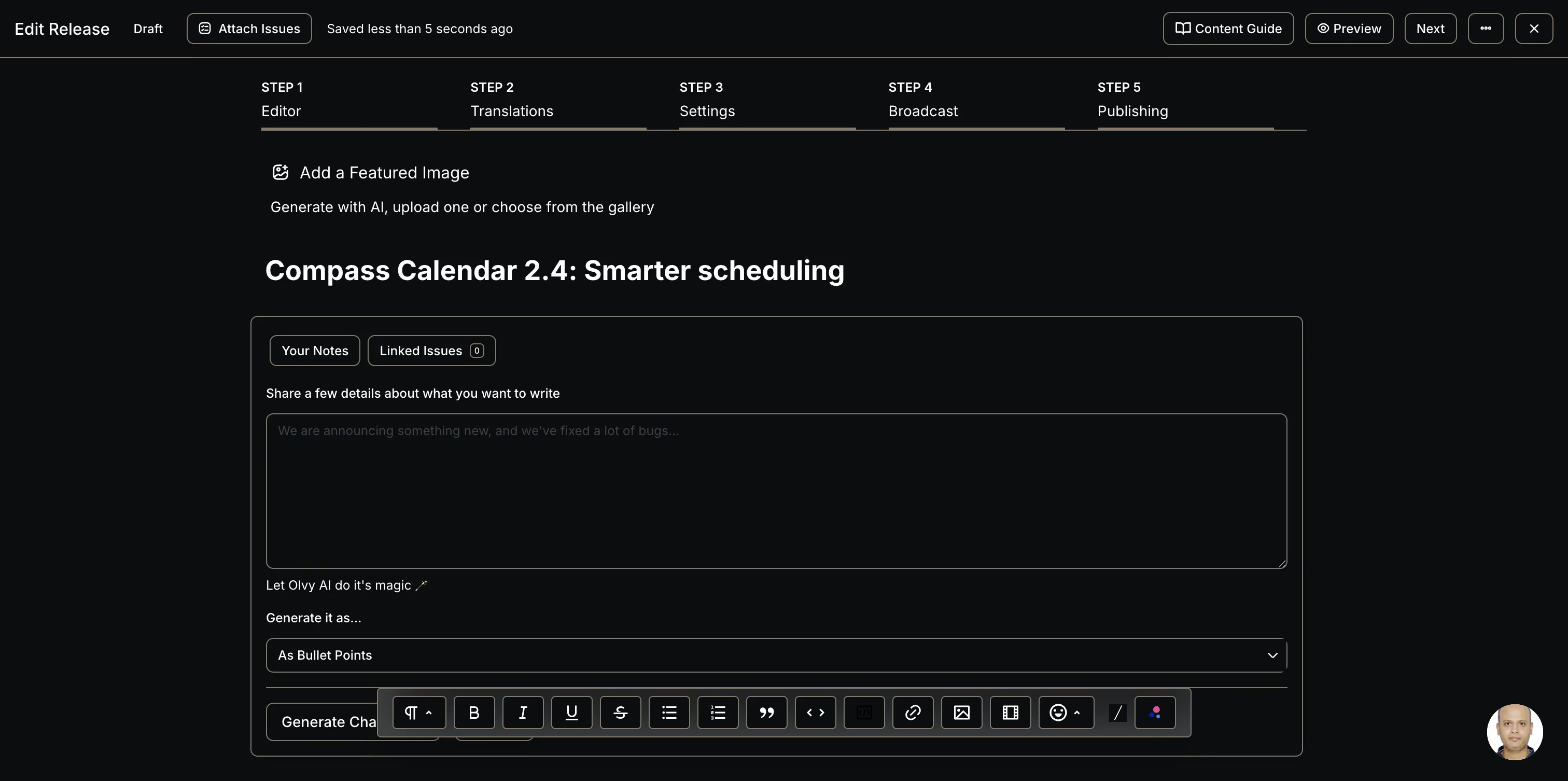
I pasted eight fake conventional-commit titles for Compass and generated with the features-fixes-improvements format. Generation took between two and four minutes with no streaming and no progress indicator. The panel sits there long enough that I checked whether it had hung. Then a preview card appears: “Here’s what Olvy AI Copilot thinks you should write for your release note.”
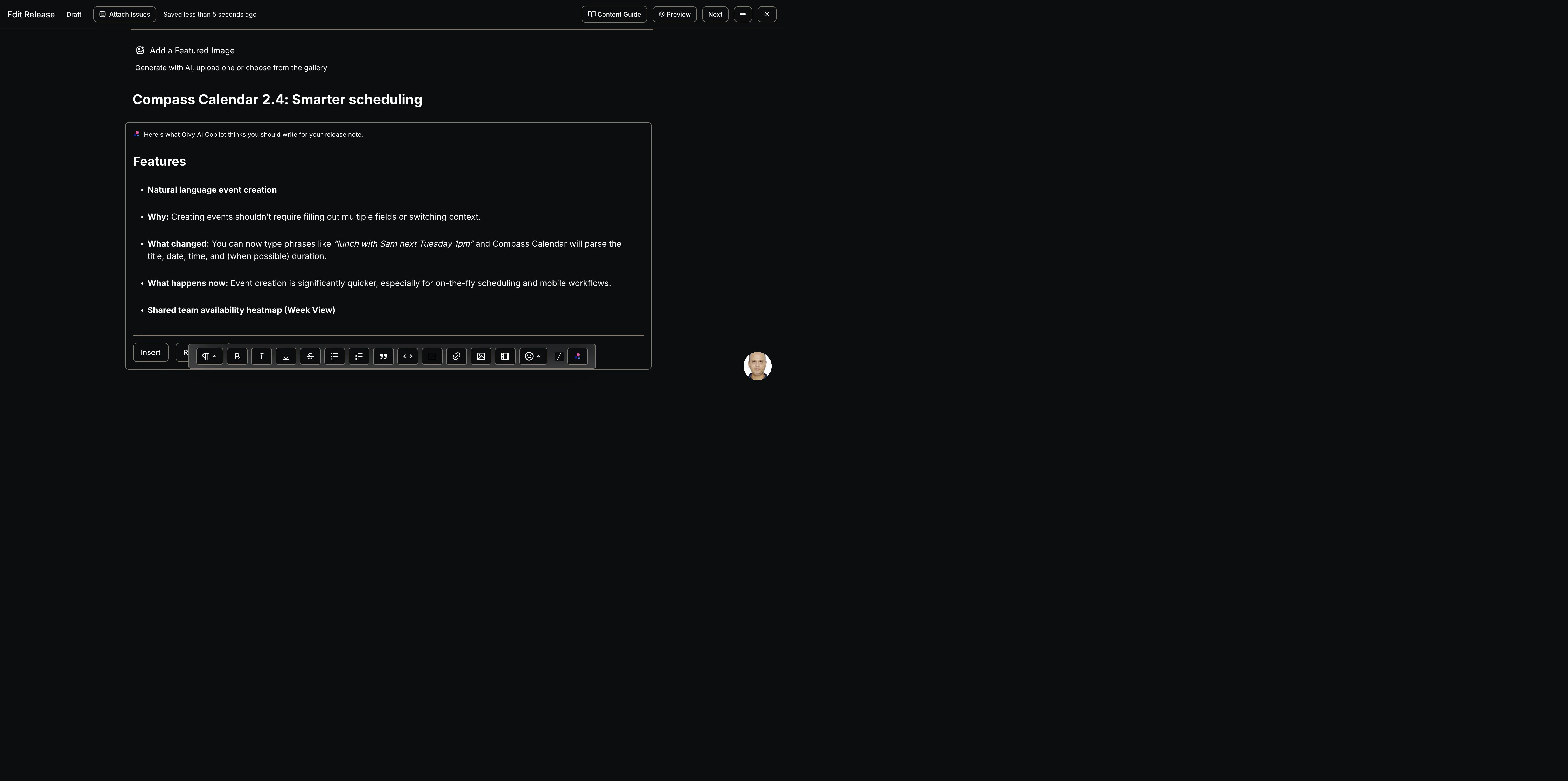
The output itself is a mixed bag. Classification was solid: feat, fix, perf, and chore prefixes all landed in the right buckets, and it correctly filed a chore: notification upgrade under Improvements. It kept concrete details from my input, like “under 100ms with 5k+ events”, and picked up the product name from context. But every one of the eight items came out wearing the identical skeleton. Here is one, exactly as generated from the input line feat: natural language event creation (“lunch with Sam next Tuesday 1pm”):
Natural language event creation
Why: Creating events shouldn’t require filling out multiple fields or switching context.
What changed: You can now type phrases like “lunch with Sam next Tuesday 1pm” and Compass Calendar will parse the title, date, time, and (when possible) duration.
What happens now: Event creation is significantly quicker, especially for on-the-fly scheduling and mobile workflows.
One of these reads fine. Eight in a row reads like a form. The “Why” lines are padded truisms (“Large calendars should stay fast and responsive”), and the model invents plausible specifics I never gave it, like that “(when possible) duration”. Nobody would ship this without cutting it in half.
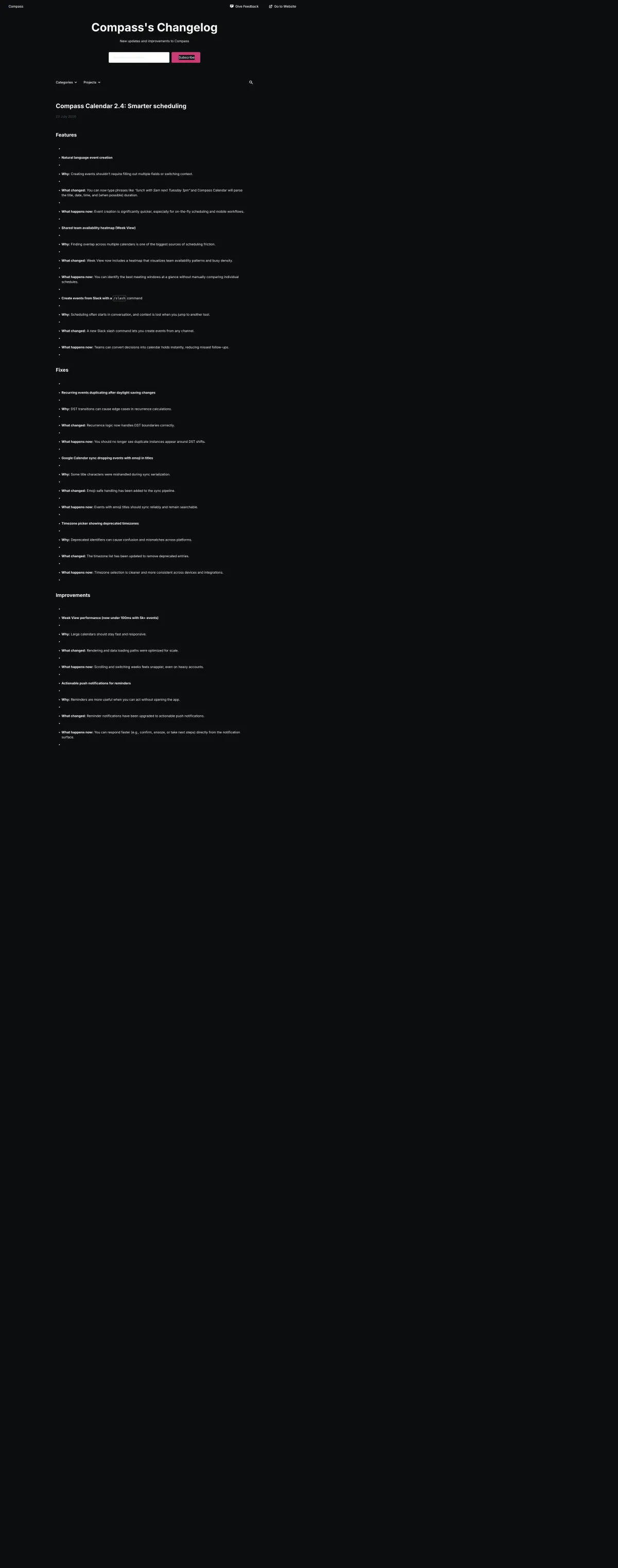
There is also a plain bug. The inserted content carries empty list items, and they survive publishing. The public page my imaginary users would read has a stray empty bullet between every real one.
The gap no prompt can fix
The skeleton and the empty bullets are fixable with a better prompt and a sanitizer. The structural problem is upstream: Olvy cannot see what you shipped. Its GitHub integration mirrors GitHub Releases you have already written and published onto the Olvy page. It writes nothing for you, and nothing flows from it into the AI. So the AI’s knowledge of your release is whatever a human remembered to paste into the textarea, and the generator’s job collapses into reformatting your own notes back at you, slowly.
That is when the evening turned from teardown into build. Usero sits on the other side of this exact gap. It authored the pull requests that closed the feedback. It knows which PRs merged, which feedback items prompted each one, and who sent that feedback. The changelog does not need a textarea. It can draft itself.
What we built instead
Usero already had a manual changelog: an editor in the dashboard, entries with a title and a body, and a public page on your feedback board at /b/your-board/changelog. What it lacked was Olvy’s headline capability done from the right inputs. So tonight’s version adds one button to the composer: Draft from shipped PRs.
Click it and the draft assembles from records Usero already holds:
- It pulls every PR merged since your last published entry, so the entry covers exactly the window your users have not heard about yet.
- It groups them by conventional-commit type into Features, Fixes, and Improvements, the same segmentation Olvy’s AI got right, done with string parsing instead of a model.
- Where a PR traces back to feedback, the draft quotes the original report and credits the requester, so the published entry can say this shipped because a user asked.
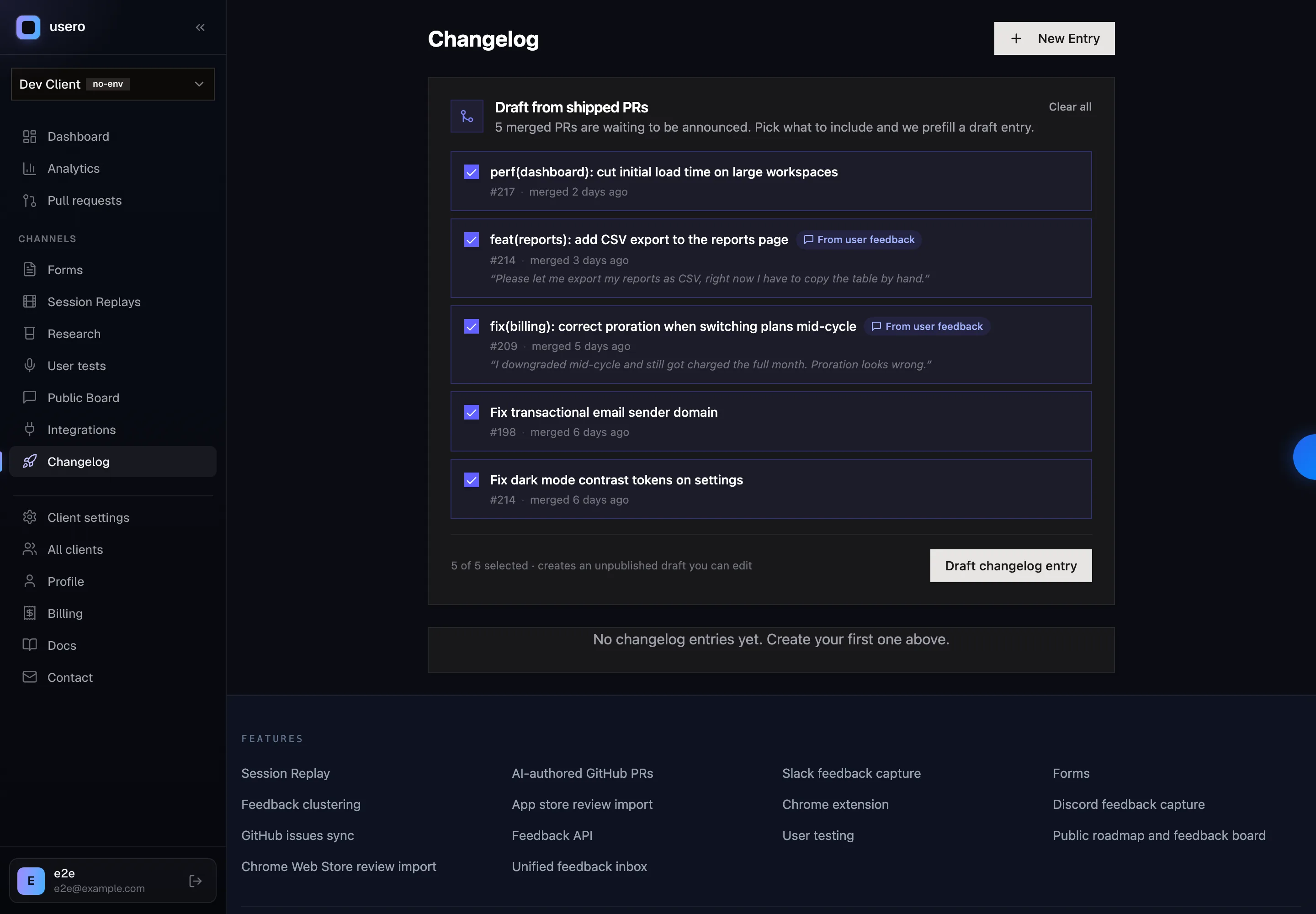
The draft is deterministic. Same merged PRs, same draft, every time, and it appears the moment you click. After watching a spinner for three minutes to get back a reformatted version of my own paste, I would take the draft that shows up on click and cites real PRs. Every line in the draft traces to a real PR or a real feedback item, so there is nothing to fact-check and no invented “(when possible) duration” to catch in review.
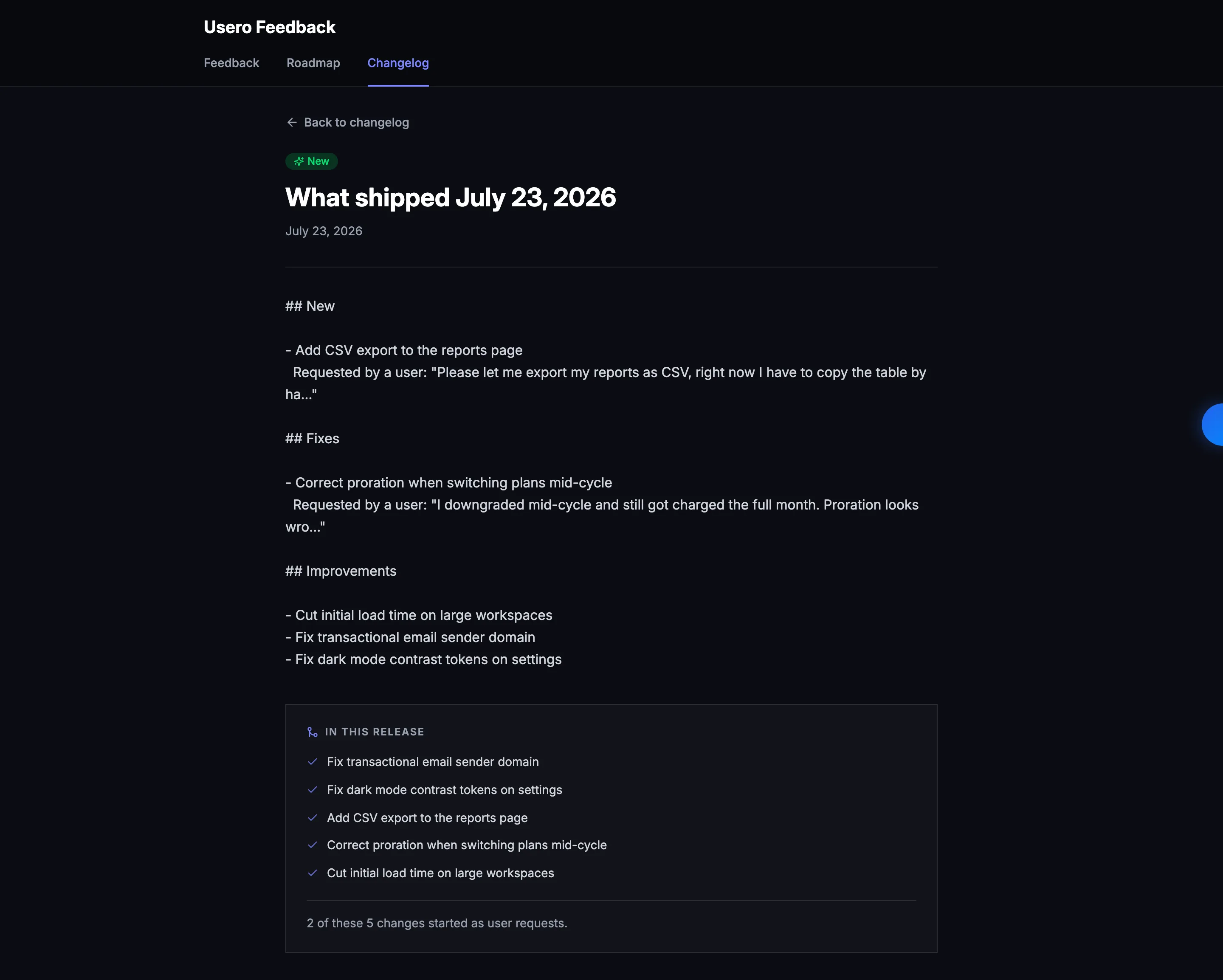
Honesty about what tonight’s version is: a grounded skeleton, not finished prose. PR titles read like PR titles. An AI polish pass that rewrites the draft in your changelog’s voice is the obvious follow-up, and it runs on our flat-rate container infrastructure, so it needs the container validation loop before it ships. Per-requester notifications (“your report about the export bug is fixed”) and email or Slack broadcast are also follow-ups. Olvy’s wizard is ahead on distribution today, and I said so above.
The order matters, though. Olvy built the polish first: wizard, broadcast, analytics, segments, all downstream of a textarea a human has to remember to fill. We started from the source instead. The draft already knows what merged and who asked for it, and the writing polish goes on top of that. The polish pass can come. I wanted the thing underneath it to be real first.
If you are shopping the category rather than reading a teardown of one product, the wider comparison is here: how to pick a release notes tool, covering what separates a real tool from a hosted page and the requester loop almost none of them close.
Continue reading
How Canny and Featurebase Carry Customer Demand to the Engineering Ticket, and How We Built Ours
Canny shows voters, companies and MRR on a post, but every tracker integration is on Pro and the docs only describe a link on the issue. Featurebase’s Jira panel shows votes live, and its Copy as prompt includes the author’s email. We built a Demand block for issues and AI pull requests: companies, MRR, must-haves and two voter quotes for Linear, Jira and private repos, counts only for public GitHub repos, no emails ever.
6 min read
How Canny Groups Votes by Company, and How We Built Ours
Canny’s “Show votes grouped by company” request has 198 votes and was marked complete in August 2026 by pointing at a new Ideas view. We tested where Canny and Featurebase show the company behind a vote, then built a company count, a Most companies sort and a grouped voter list.
7 min read
How to Recruit Participants for User Research Without a Panel
Recruit participants for user research by writing a behavioural screener and working through sources cheapest first: your own users, their communities, referrals from people close to them, then a paid panel. How many to recruit, what to pay, and how to run a referral round without paying for junk sign-ups.
6 min read
Build a feedback loop your team actually uses
Usero collects, clusters, and turns user feedback into shipped fixes.
Get started free