Canny’s own feedback board has a post called “Show votes grouped by company”. It has 198 votes. A Canny team member filed it for customers in April 2021, and the comments merged into it go back to 2018.
On 13 August 2026 Sarah Hum, Canny’s co-founder, marked it complete: “This is available as part of the new Canny Ideas experience. The impact overview show you how many unique users and companies are interested in an idea.”
On a B2B product one customer can be five voters. A post with 20 votes from one company and a post with 6 votes from 6 companies read as 20 vs 6, when the second one is probably the one to build. I wanted to see where the company shows up in Canny today, and what the people asking for it wanted. So we made a company in a Canny Free workspace, voted as people who work there, and tried the same thing in Featurebase.
What were people asking for?
The comments are pretty specific. One from 2022:
“Agreed! I really need to see the number of Company Votes in the feedback tab rather than just individual votes. I don’t want to have to add it to a roadmap to see the number of company votes. For a B2B product like ours, it’s much more important to know the number of different companies who want something than the fact that 20 people from the same company want it.”
Another one names the reason the raw count drifts:
“We have some customers that send all their employees to a post to upvote it, skewing the number of people that actually really want it.”
And one reads like a spec:
“For us, it’s not votes by the company itself, it’s sorting the most popular by how many different user companies have voted on them. [...] this other total would appear in sensible places (e.g. mini icon in the post list alongside the icons for existing votes/comments/$), and crucially, as a sort option for that same post list.”
So, a company count in the post list and a sort by it. Neither tool has that on the board today.
Where does Canny show the company?
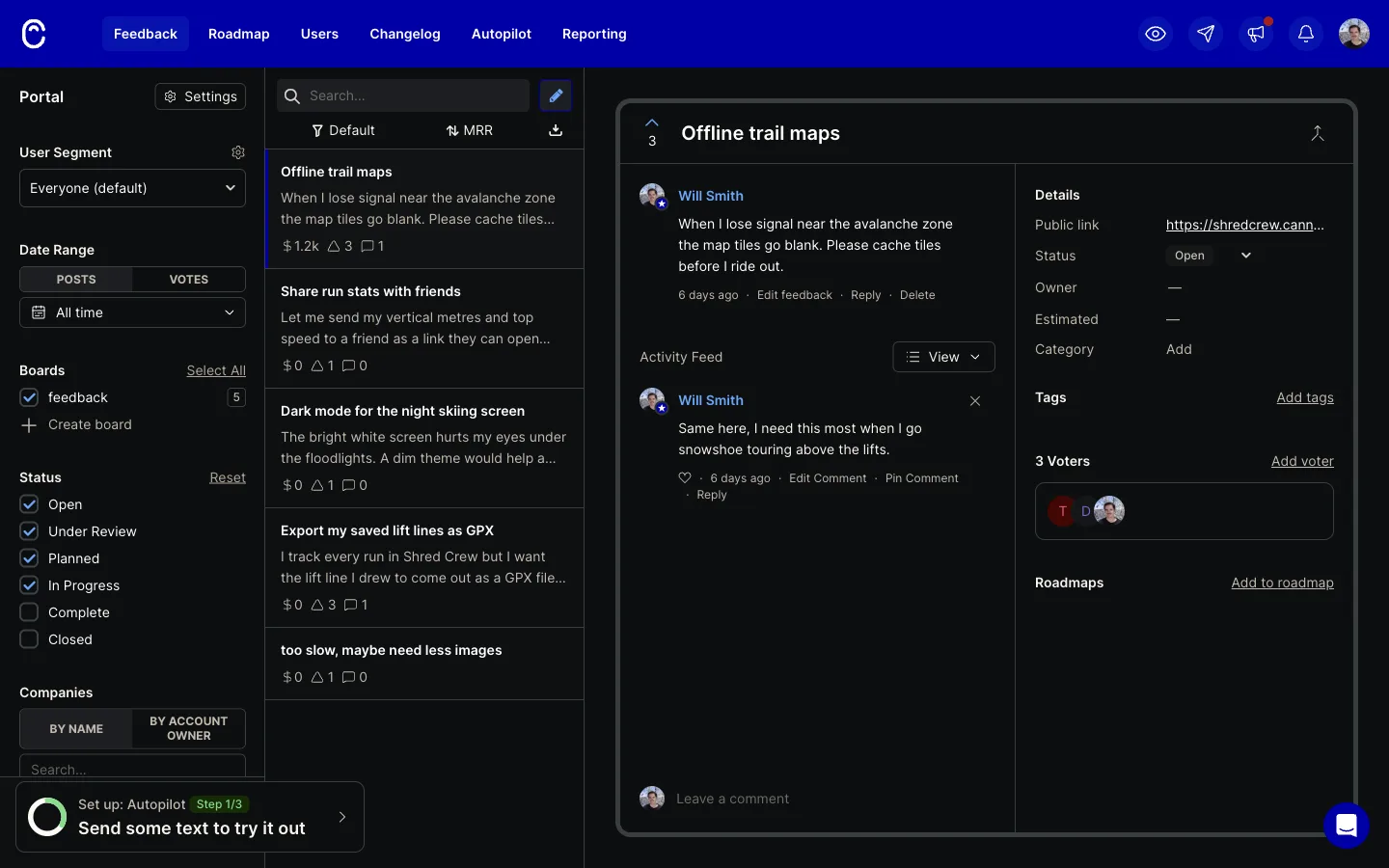
Start with revenue, Canny gets this part right. Two of our test voters, Dana and Tomas, both work at Example Co ($1,200 a month). They both voted on “Offline trail maps”, and the card shows $1.2k, not $2.4k. Canny counts a company’s MRR once per post. We copied that.
The other post, “Export my saved lift lines as GPX”, has the same two plus Mia from Acme Corp ($5,000). They voted before I linked them to their companies. After linking, the card still says $0.
Open the voters on that post and it’s all there: “Dana Reyes at Example Co”, $1,200, Tomas $1,200, Mia $5,000. The footer total reads $0/MO.
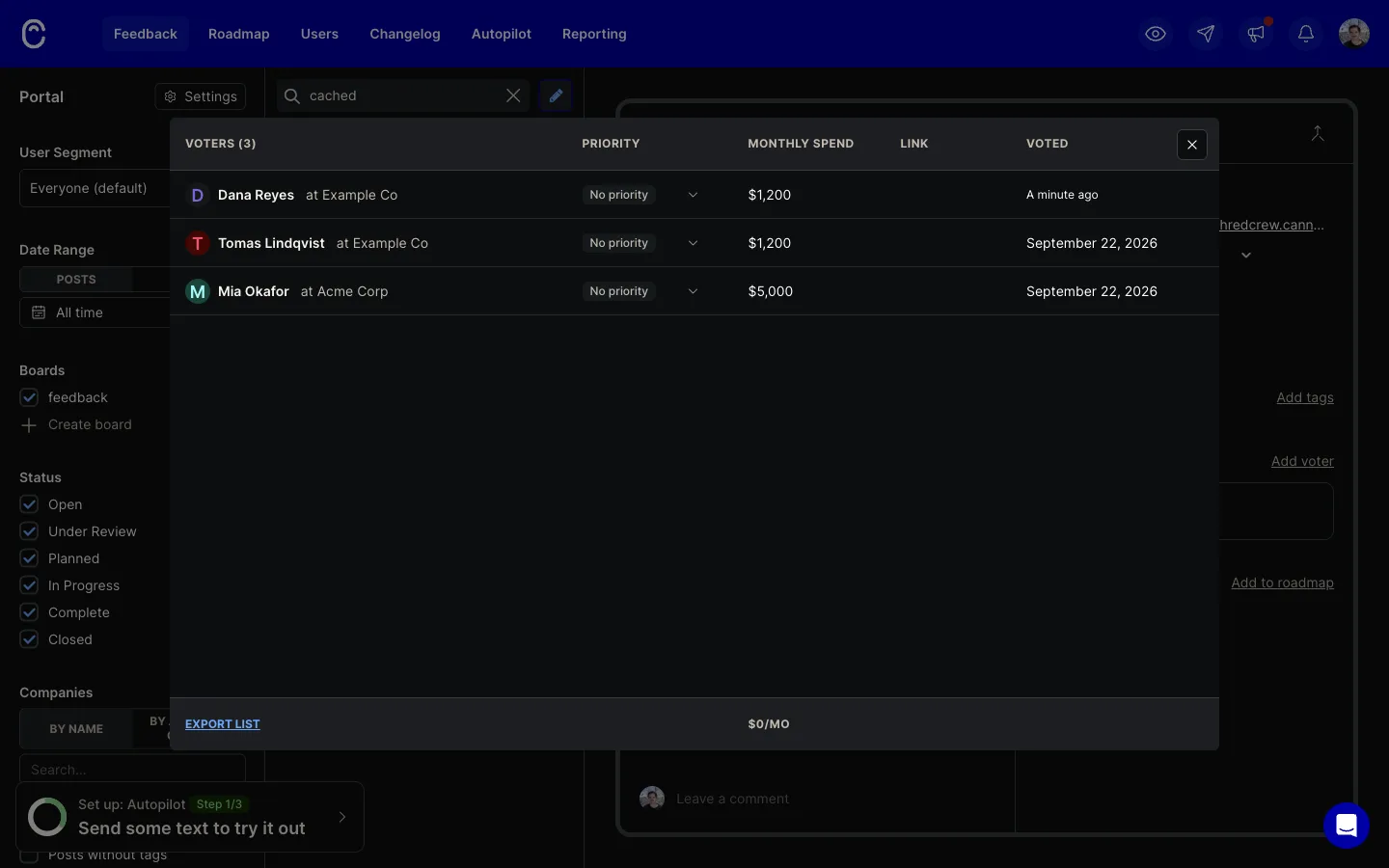
So post MRR is worked out when the vote is cast and kept. Once every post was at $0, the MRR sort showed its empty state, “Pass MRR data into Canny to view your feedback sorted by MRR impact”, while the spend was one click away in that modal. My guess is a stored number is cheaper to sort on. But a team that adds company data a few months after launch gets a revenue sort that skips every vote from before.
The voter rows themselves are good. “Name at Company” with spend next to it is easy to read, and Export list is there when you need it in a spreadsheet. It’s a flat list though, one row per person, no grouping and no company count. The post sidebar just says “3 Voters” with some initials.
How does a voter get a company at all? We created Example Co with the domain example.com (Domain is a required field now), then a user, dana@example.com. She came up with no company. Voting didn’t link her either. The Link to company picker listed Acme Corp above Example Co.
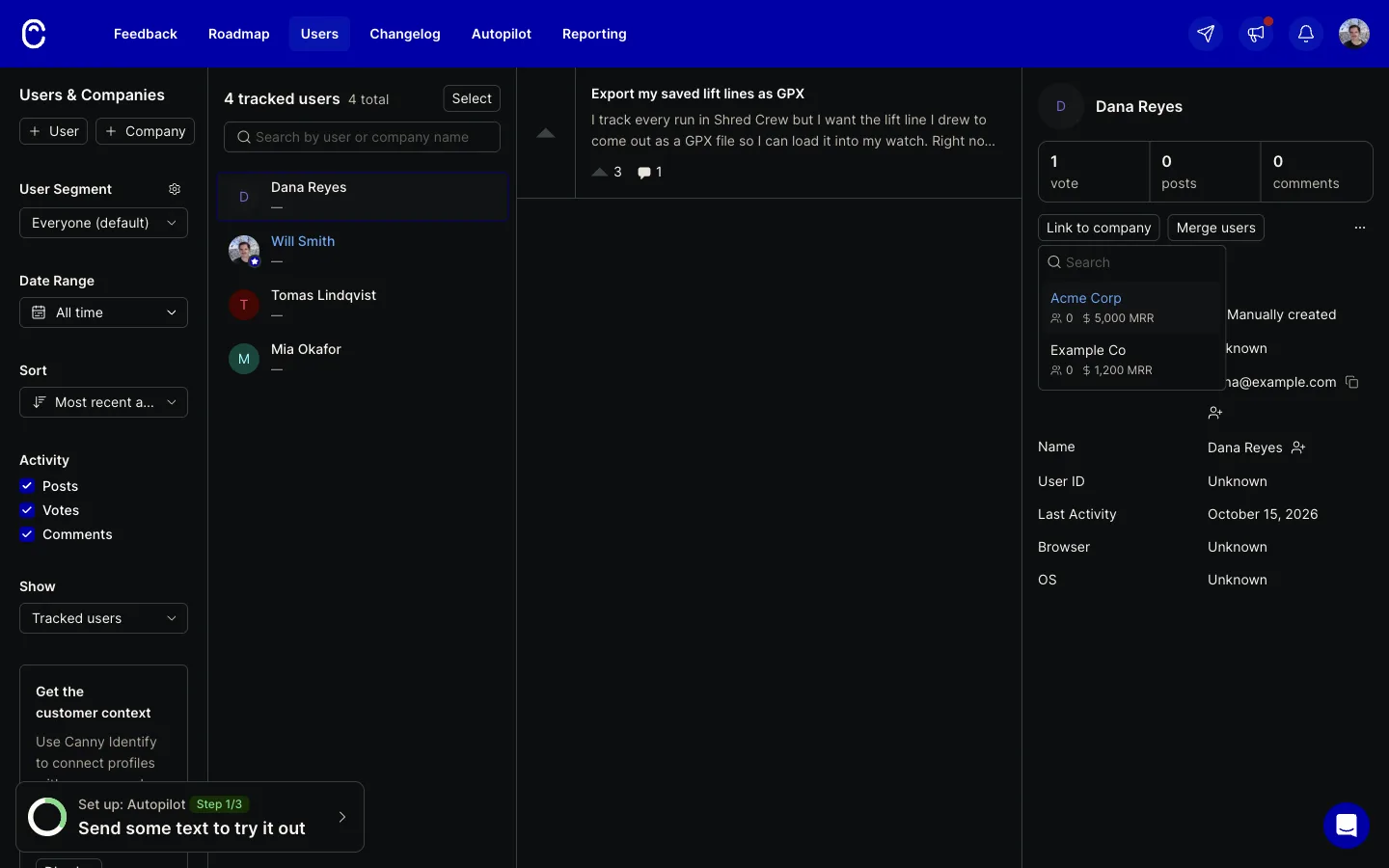
Companies come in through identify(), SSO, the API, Segment, a HubSpot or Salesforce sync, or one person at a time by hand. Canny’s Company ID defaults to the domain, so the join key is already sitting in the data. It just isn’t used to group anyone.
Then the part I didn’t expect. The company count does exist on Free, on the roadmap. Score, Add new, Company votes, and a COMPANY VOTES column shows up. “Offline trail maps” got 1 (two voters, one company), the GPX post got 2. Unlike MRR it’s live, it picked up the links I made after the votes.
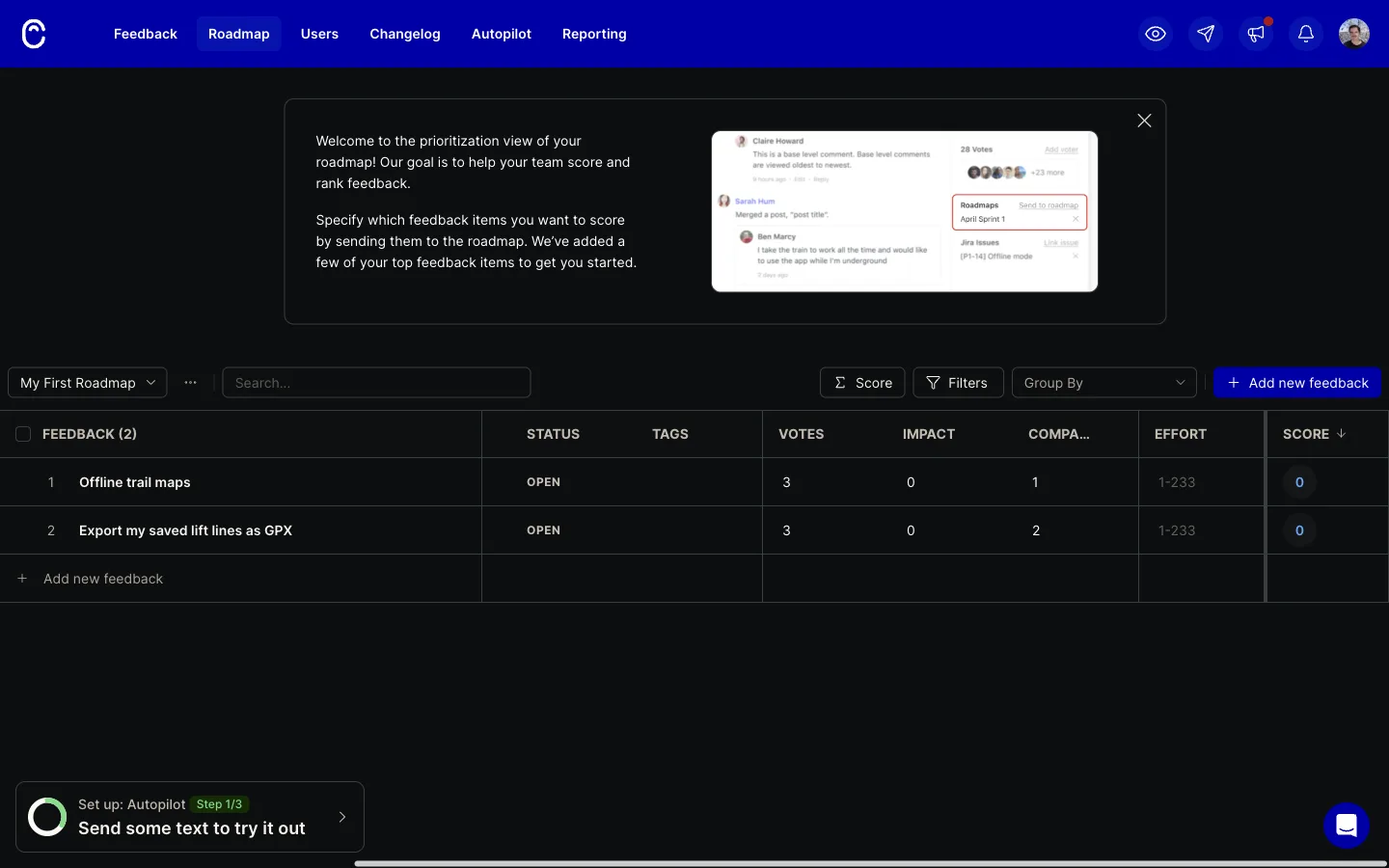
It’s the number the 2022 comment asked for. It just lives on the roadmap, behind a score setting. We couldn’t try the Ideas impact overview Sarah pointed to. /admin/ideas redirected to the dashboard on our workspace, and Canny’s help article says teams created before 19 May 2026 can switch it on from the profile menu, which we didn’t have.
What about Featurebase?
Featurebase treats the company as something you can filter on. The request filters include Requester company, Requester company plan and Requester company MRR, which goes further than Canny’s filter by company name or account owner.
On a single post the Impact panel says “3 requesters” and “$0 revenue”, with no company count. Click the requesters and you get name, email and an Export CSV button. No company column, and the search box says “Search 2 customers...” with 2 people listed.
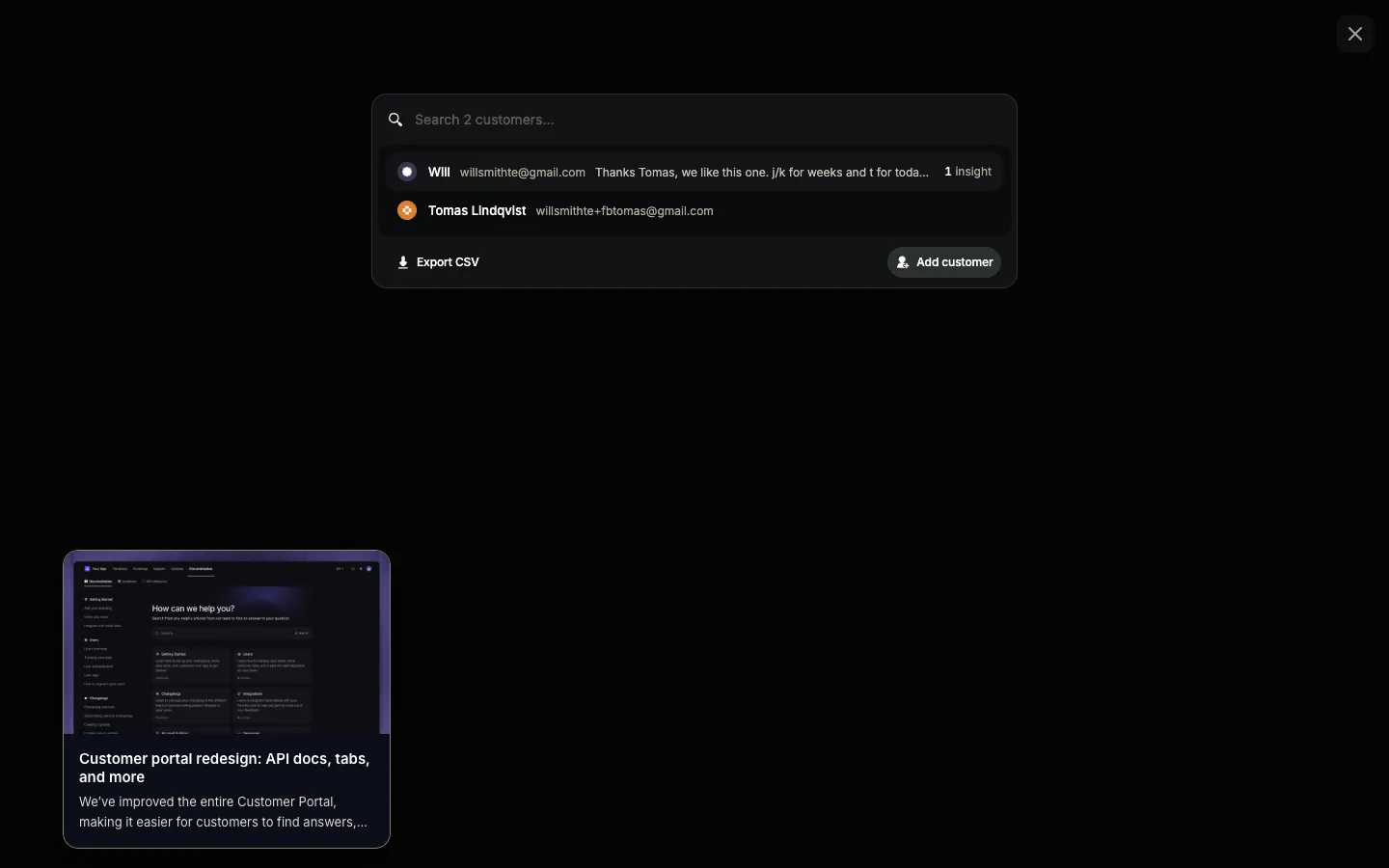
Featurebase’s own board has the follow-on request, filed 29 September 2026, 3 votes: “Today the only option is exporting the voter list to CSV from the post and then filtering it in Sheets or Excel.”
How we built ours
We started from the spec comment. Every post row in the Usero dashboard now shows the company count next to the voter count, “14 voters | 6 companies”.
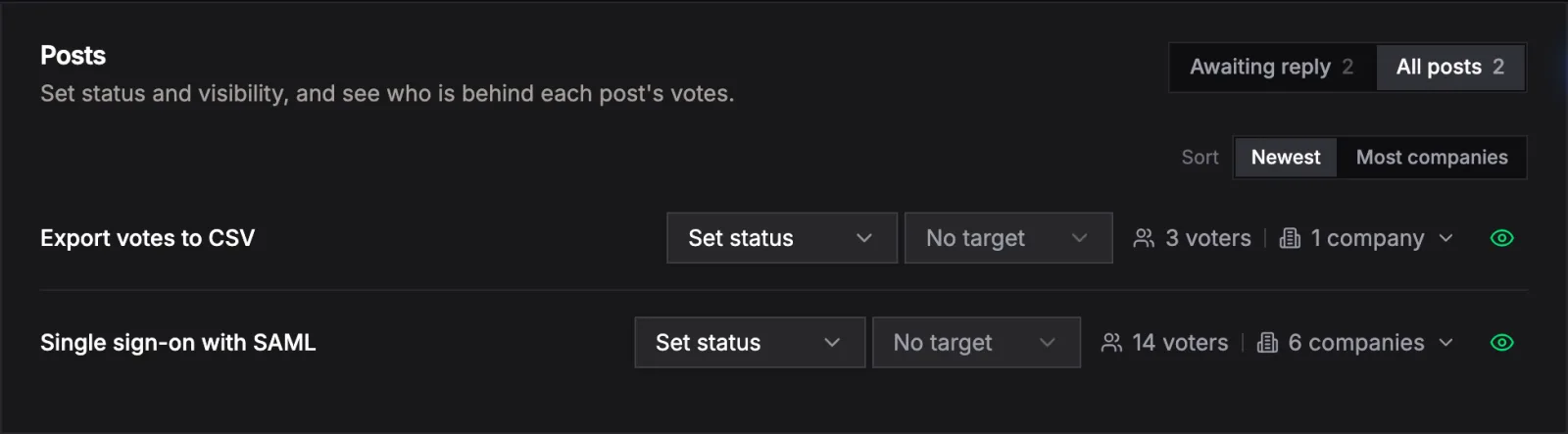
There’s a Most companies sort too. Switch to it and SSO, with 6 companies, moves above CSV export, with 1.
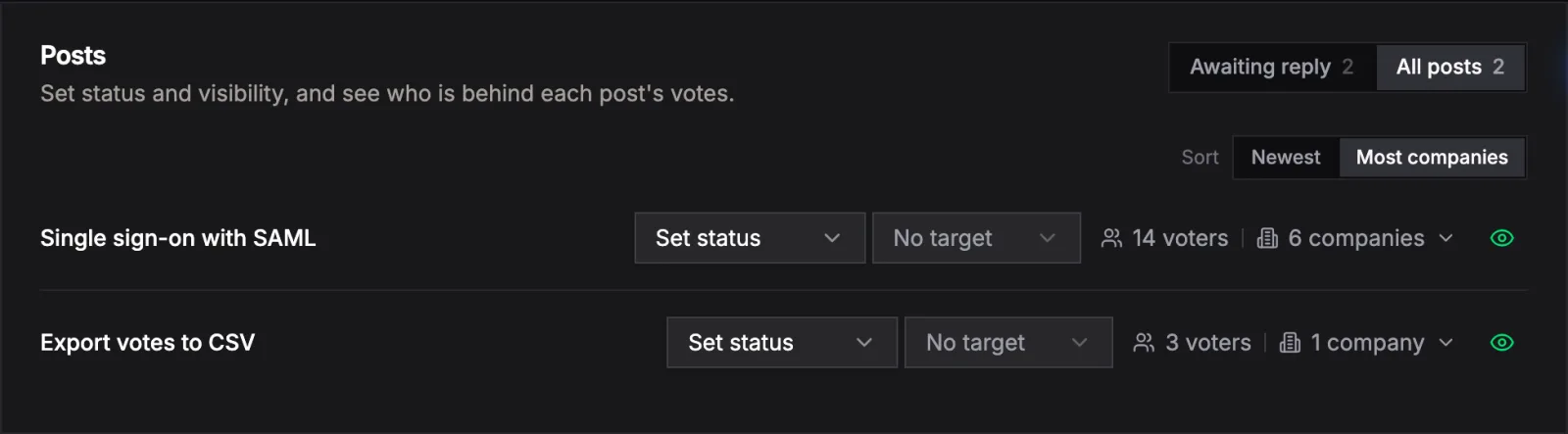
Click the count and the voter list opens grouped by company. Each company header has its voter count, its must-haves and its MRR, counted once like Canny does. There’s an Everyone toggle for the flat list, because a 2018 commenter asked for grouping on by default “with an option to see individual votes as well.”
The grouping needs no setup. Work emails group by domain, so sam@globex.com and ana@globex.com land under globex.com, marked “from email domain”. If you send a company in your identify() traits, that wins. Kim votes from a gmail address, but identify says Umbrella Corp, so she sits under Umbrella Corp with its $300/mo. Gmail, Outlook, iCloud, Yahoo and the other free-mail providers never become a company. Those voters show under Individuals, and anonymous board votes get their own group.
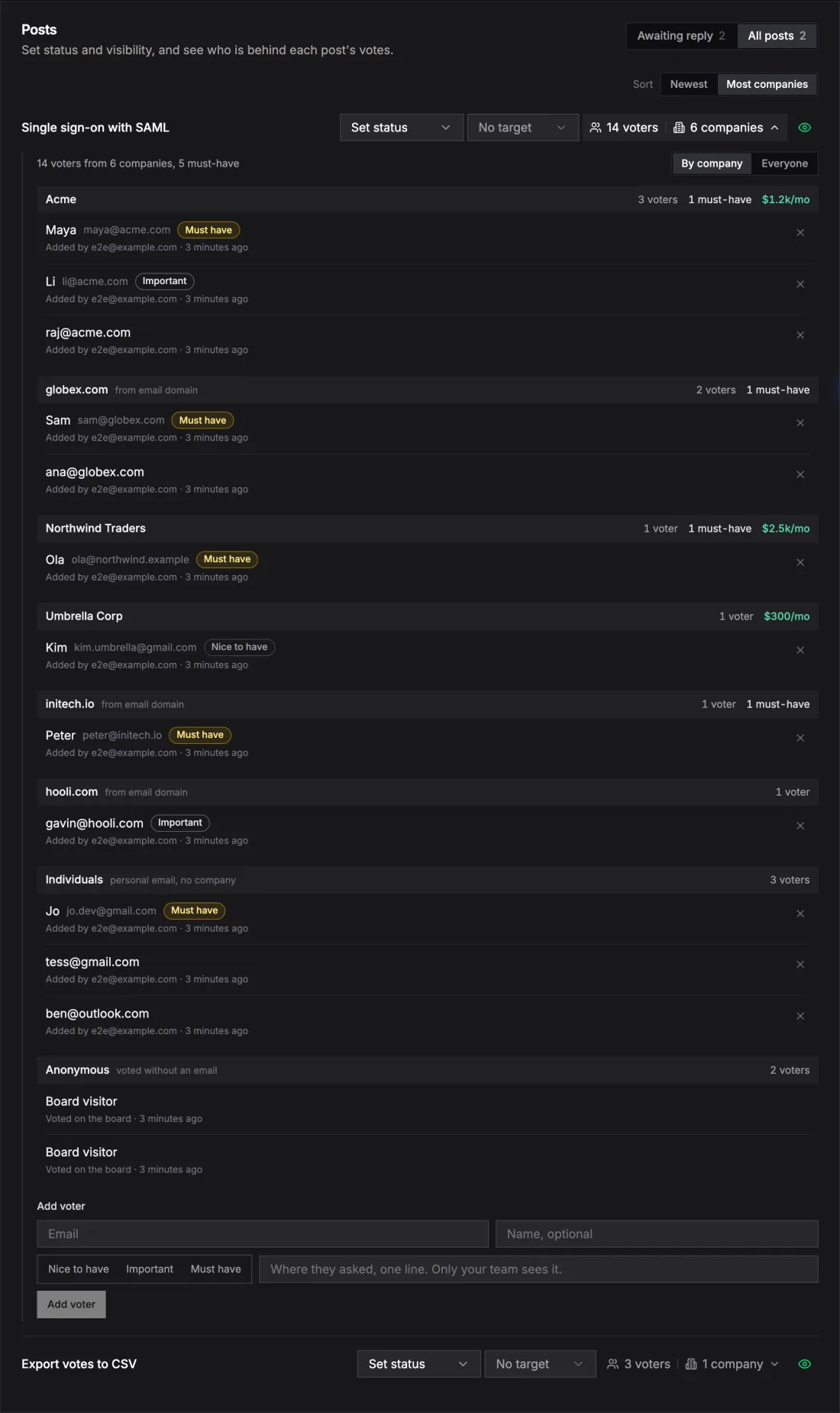
Nothing is stored at vote time. The company and MRR are worked out when you open the page, from today’s traits and emails. Wire up identify() next month and last month’s votes group properly, and a customer’s MRR going up shows on every post they voted on.
Companies are admin-only. The public board never shows who works where. The MCP tool list_post_voters returns the same by-company breakdown, so you can ask your editor which companies want SSO.
Domain grouping will be wrong sometimes. A contractor voting from their agency’s domain shows up as the agency, and identify() is the fix there. What we left out for now: counts that change when you filter the board to one company, a marker for people in more than one company, and putting “requested by 4 companies” into the AI pull request and issue body.
I’m curious how far apart the two numbers get on real boards. My guess is the posts with the biggest gap are the ones a single customer rallied their team for, like the comment about employees sent to upvote.
Continue reading
How Canny and Featurebase Carry Customer Demand to the Engineering Ticket, and How We Built Ours
Canny shows voters, companies and MRR on a post, but every tracker integration is on Pro and the docs only describe a link on the issue. Featurebase’s Jira panel shows votes live, and its Copy as prompt includes the author’s email. We built a Demand block for issues and AI pull requests: companies, MRR, must-haves and two voter quotes for Linear, Jira and private repos, counts only for public GitHub repos, no emails ever.
6 min read
How to Recruit Participants for User Research Without a Panel
Recruit participants for user research by writing a behavioural screener and working through sources cheapest first: your own users, their communities, referrals from people close to them, then a paid panel. How many to recruit, what to pay, and how to run a referral round without paying for junk sign-ups.
6 min read
Jira Customer Feedback: Get User Requests Into Jira With the Customer Attached
How teams that live in Jira handle customer feedback today (pasting by hand, Jira Service Management, Jira Product Discovery, Canny or Featurebase status rules), what a Jira feedback integration should do, why status category beats a mapping grid, and how Usero creates Jira issues from feedback and syncs status both ways.
6 min read
Build a feedback loop your team actually uses
Usero collects, clusters, and turns user feedback into shipped fixes.
Get started free