How Hotjar Screenshots Every Bug Report: A Picture Nobody Mentions, Consent After the Send
Last night we went back into our free Hotjar account for two mechanics we skipped the first time: the screenshot that rides along with every survey response, and the one dropdown that governs consent. We submitted three real responses as a visitor, one saying yes to consent, one saying no, one with consent off entirely, then read all three back in the admin. Here is what each side of that exchange gets to see, and the version we built for Usero the same night.
The setup: a sandbox page with a deliberately broken Export CSV button, served over a real HTTPS tunnel because our first Hotjar night taught us that submissions from a localhost origin vanish without a trace. On HTTPS, all three responses surfaced in the dashboard within seconds. Credit where due, the ingestion is fast.
The bug report screenshot nobody mentions
In the survey editor, under Behavior, there is a checkbox: “Automatically include a screenshot with each response.” It was already ticked on our survey, and we never touched it. Hotjar's docs say it defaults on for every on-site survey created after December 2023, free plan included. So every response comes with a bug report screenshot whether the owner asked for one or not, which as an owner is a nice surprise.
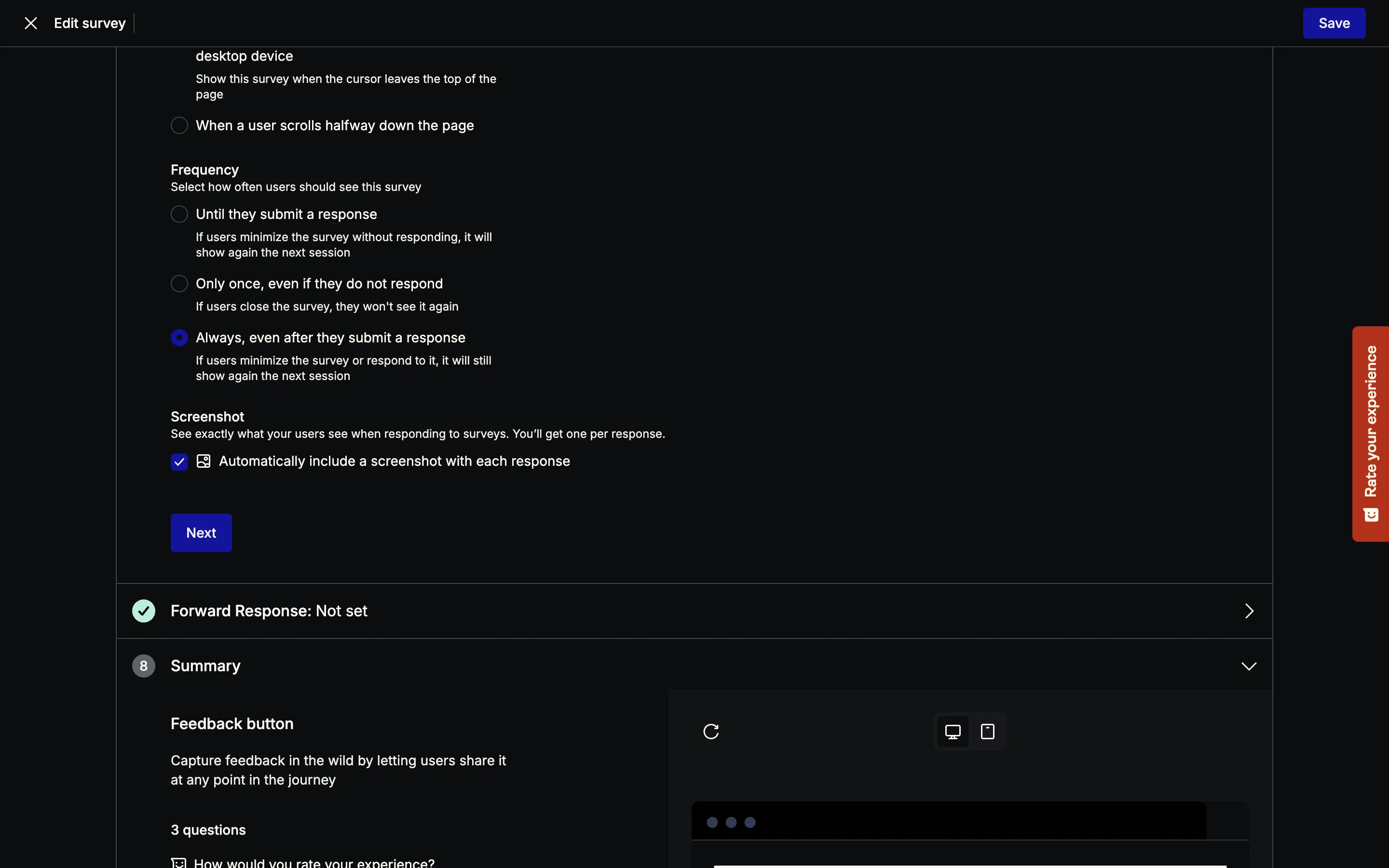
The visitor's side of that same exchange is nothing. No notice, no “a picture of this page will be attached.” The consent prompt we get to later never mentions it either. As far as the visitor can tell, no capture happened.
What the capture contains is the interesting part, and it is cleverer than the word screenshot suggests. Our visitor's Chrome had force-dark-mode on, so the page they saw was dark. The stored image shows the page in its authored light theme. A pixel capture cannot do that: Hotjar is serializing the DOM and re-rendering it server-side, the same machinery as session replay. The widget itself is absent from the image, even though the open survey panel covered the page for the whole submission. And our page's line “Rows: 1,284. Last refreshed 4 minutes ago” came back with every digit replaced by asterisks. Headings and button labels come through verbatim, numbers do not.
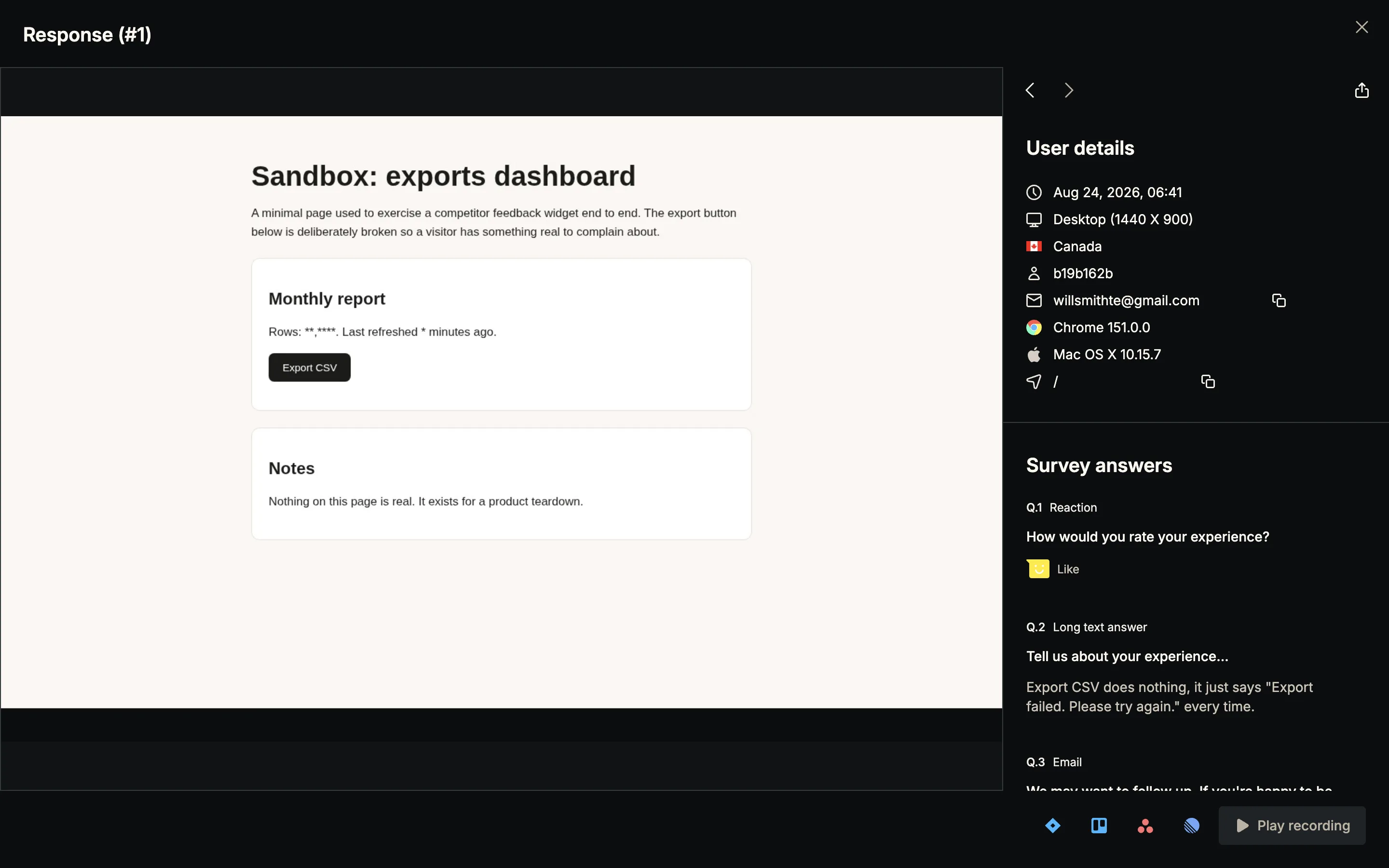
Those are careful defaults. A raw pixel screenshot would have shipped whatever was on screen, dark mode, open widget, account balances and all. Hotjar's version gives the owner a legible picture of the page while suppressing exactly the characters most likely to be personal or financial. We did not expect the free tier of a survey tool to be the place we found the best screenshot privacy model in this series.
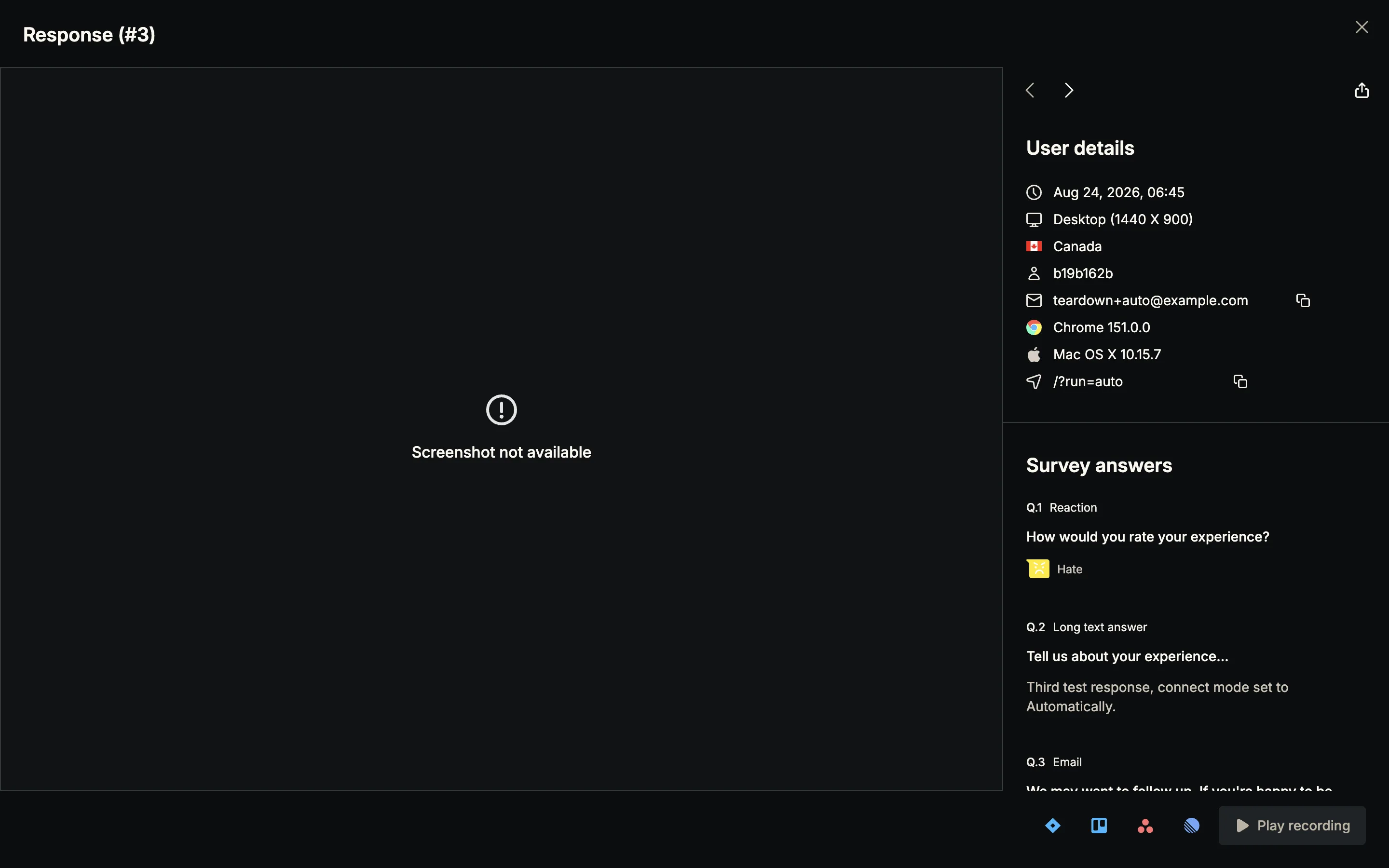
“Screenshot not available”
One rough edge, and we hit it within a minute of submitting. Opening the newest response showed an error glyph and “Screenshot not available” while the two older responses rendered fine. Ten minutes later the same response had its screenshot. The pipeline is asynchronous, which is fair, but there is no pending state: a screenshot that is still processing and a screenshot that failed forever look identical, and the copy asserts the failure. An owner who opens a fresh response in those first minutes reads “not available” and concludes the feature is broken. It was working the whole time.
One dropdown, three plain words
Consent lives on the last card of the Questions section, attached to the thank-you step: “Connect responses with Hotjar tools”, a native select with Automatically, Ask for consent, and Never. Per-survey, free tier, defaults to Automatically. As a control shape this is right, and it is the shape we stole. Three words, sitting next to the thing they govern instead of buried in an account-wide privacy screen.
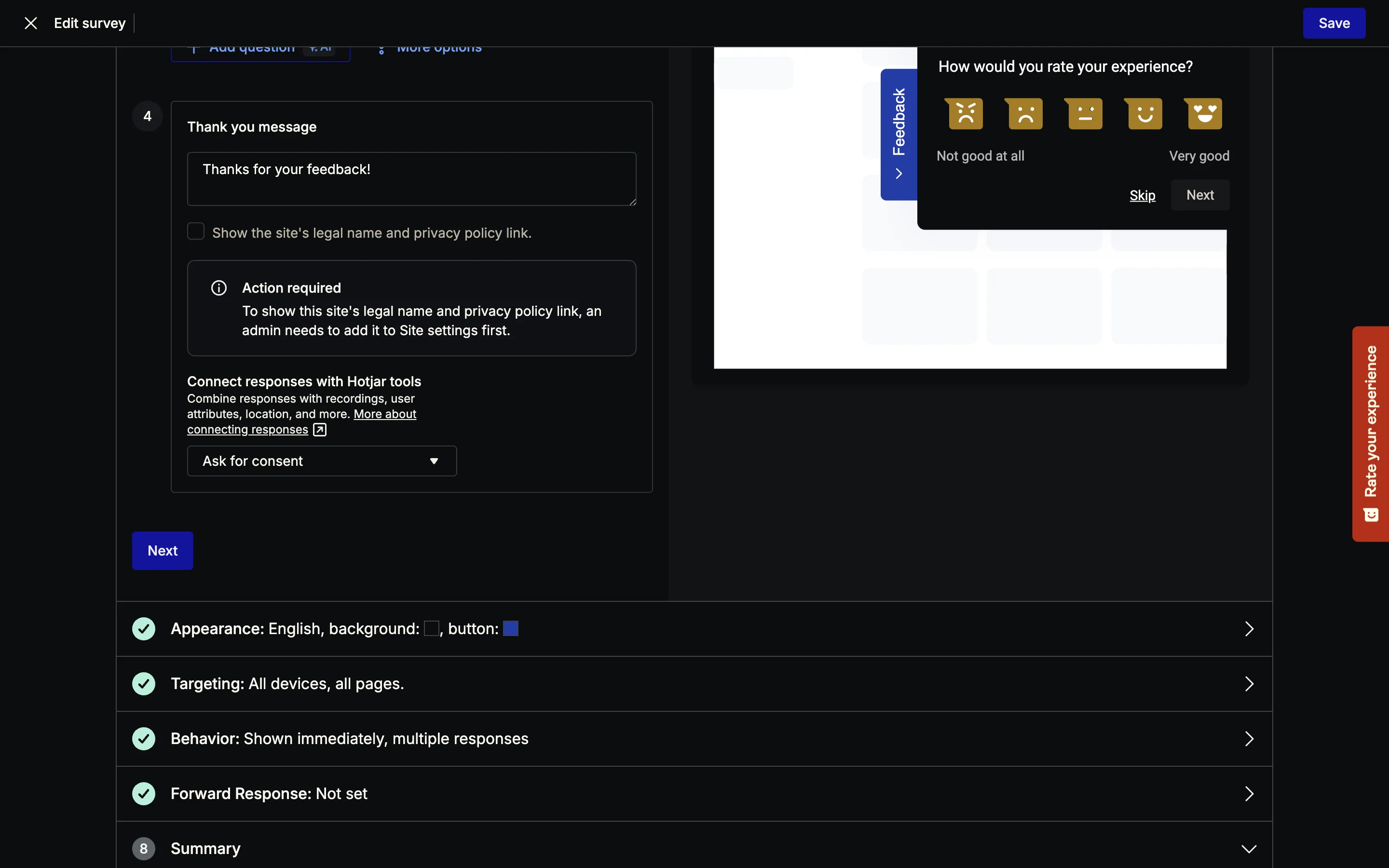
What the admin screen does not do is explain the modes. One shared sentence and a help link cover all three. Nothing tells the owner what the visitor will see in Ask mode, what happens to a declined response, or that Never severs the replay link. The sibling checkbox that would show the site's legal name and privacy policy in the prompt was disabled on our account, waiting on a Site settings step we had never been told about. So the prompt we shipped to our visitor carried no company name and no privacy link.
Here is what that visitor got, on the thank-you screen, after the response had already been sent: “Before you go, can we connect your response with data (device, usage, cookies, behavior, and interactions) related to your visits? This will help us give you a better experience.” Two buttons, No thanks and Yes, sure. The More information link goes to hotjarconsent.com, a Hotjar-branded page the visitor has never heard of, not to the site's own policy. The prompt does not name the site, does not mention the screenshot that was already captured, and describes session recording as “behavior and interactions.” The linked page is franker, saying outright that behavior can be used to recreate sessions in visual replay.
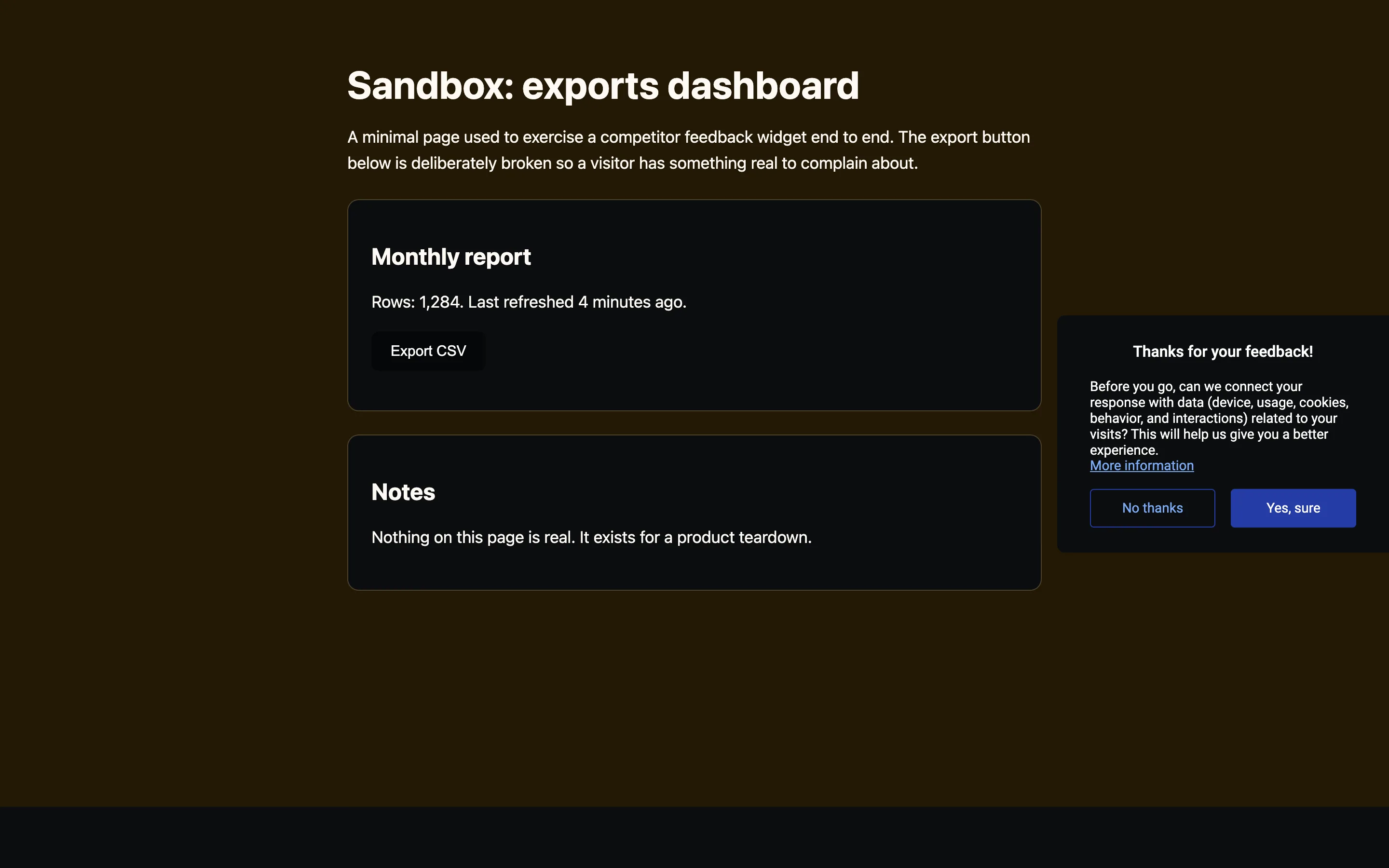
We declined on response #2. The response still landed in full: rating, text answer, email, page path, country, browser, OS, viewport, an 8-character user id, and the screenshot. What “no” withholds is the linkage to the visitor's other Hotjar data. That trade is defensible on its own terms, the complaint still gets through when the visitor says no, and we kept that property in our version. But in the admin, nothing marks response #2 as declined. No badge, no filter, no export column. The visitor made a decision and the product threw it away before the owner could see it.
One more finding, and it is the one that shaped our build most. We flipped the dropdown back to Automatically, saved, and confirmed the save by reloading the editor. The very next visitor session still got the Ask prompt. The survey definition is cached client-side, so the setting the owner sees and the setting a visitor gets can disagree for an unknown window. For a widget colour that is a shrug. For a consent control it is a real problem: an owner switching to Never has no way to know when the switch takes effect.
How we built ours
Usero already records optional session replays and deep-links each feedback report to its submit moment, so the raw machinery was there. What last night added is the consent layer and the fallback picture, with Hotjar's dropdown as the starting shape and their caching bug as the thing to design against.
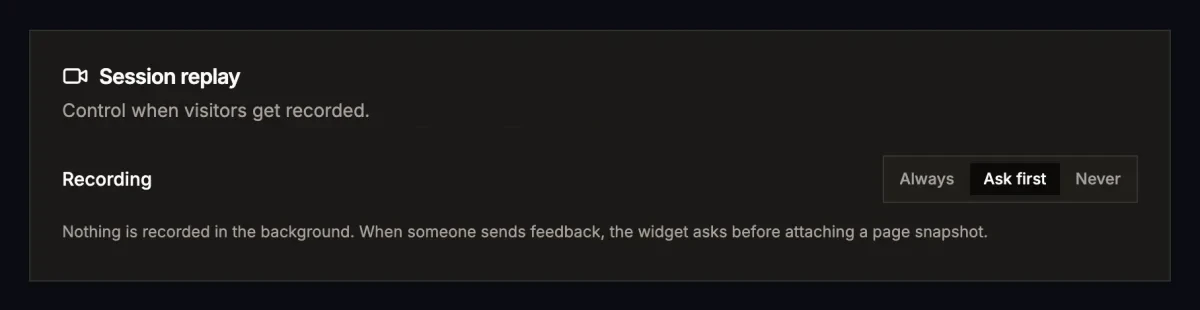
The setting is per-project, one row called Recording at the top of the Session replay settings: Always, Ask first, Never. Always is today's behaviour, background recording, so nothing changes for existing installs. Never means never: the widget does not load rrweb at all, and the server refuses to create a recording session for that project, so even a widget running on a stale cached config cannot keep recording after the owner flips the switch. That server-side refusal is the direct answer to the propagation window we watched on Hotjar. The widget also re-fetches the mode on every page load rather than caching it in localStorage, because a consent setting should not take effect whenever a cache happens to expire.
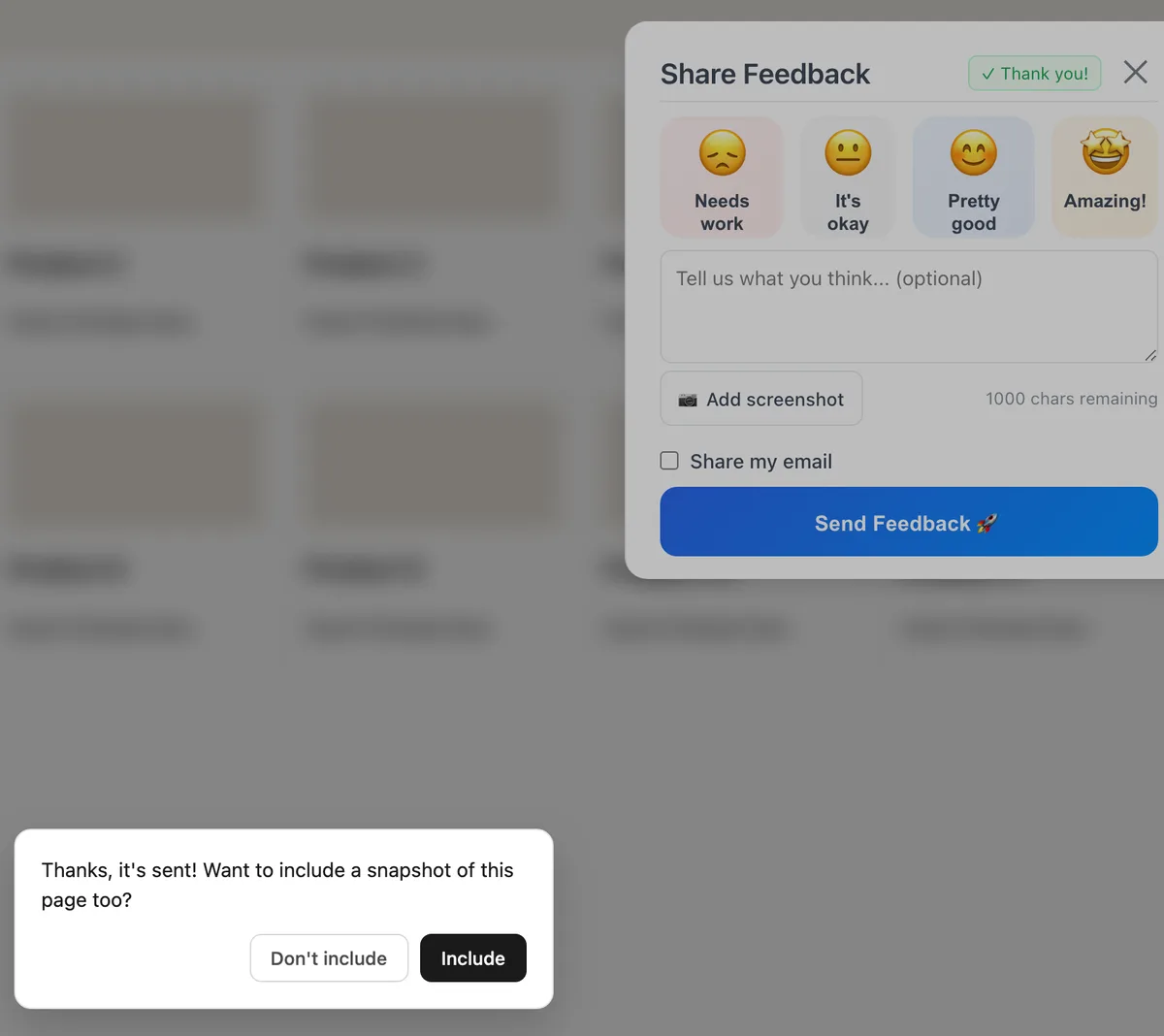
Ask first inverts Hotjar's ordering. Nothing is recorded in the background. The feedback sends the moment someone hits send, the same property we credited Hotjar for keeping, and only then does the widget ask: “Thanks, it's sent! Want to include a snapshot of this page too?” Two buttons, Include and Don't include. A concrete noun, a snapshot of this page, instead of “data related to your visits.” Decline, press Escape, or ignore it for 15 seconds and the snapshot is never taken, so there is no copy anywhere to retract. The prompt renders in its own shadow root, follows the visitor's light or dark preference, and removes itself from the DOM before any capture runs, so a snapshot can never contain our own prompt.
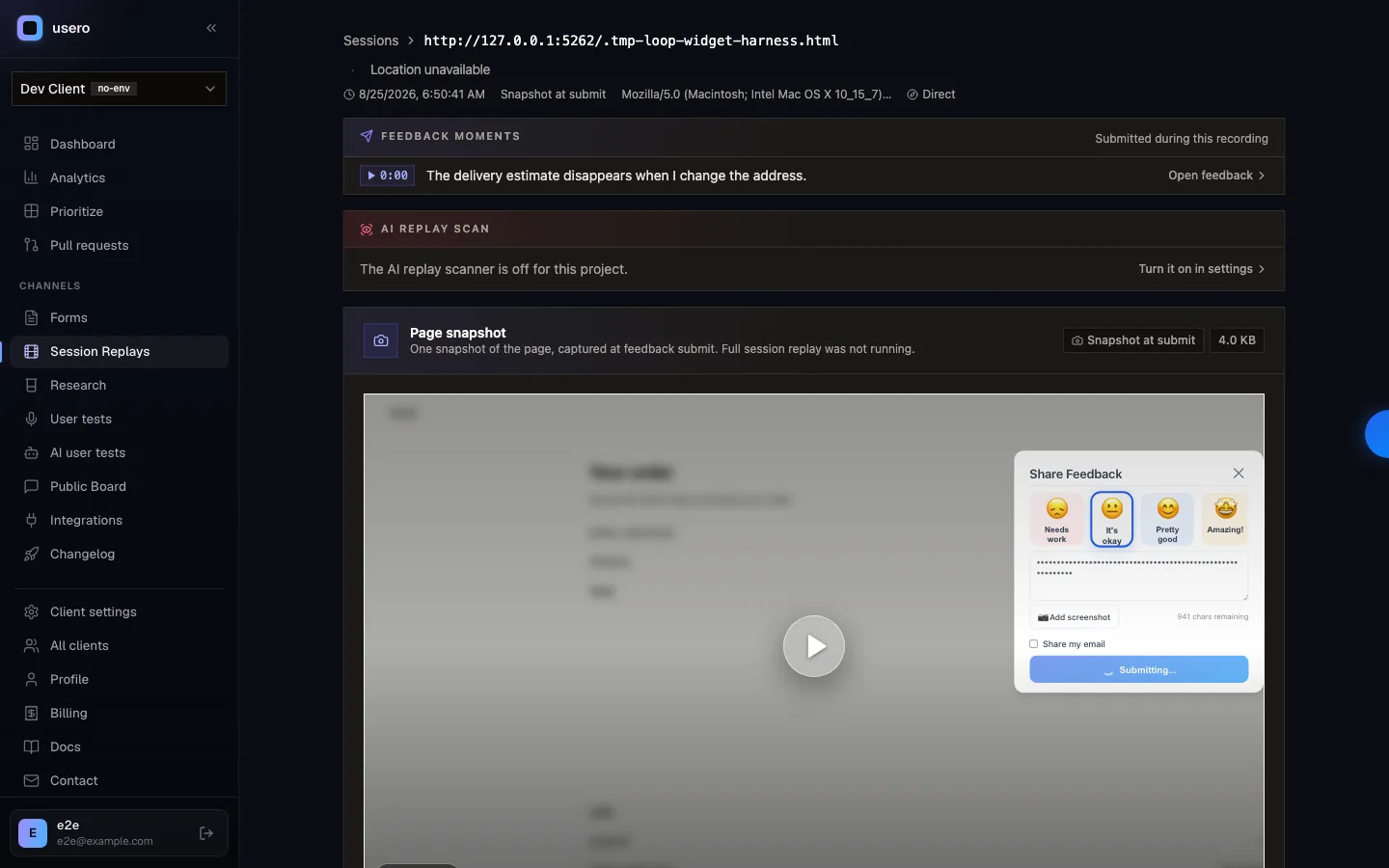
The other half of the build is the fallback. Replay is optional and sampled, so plenty of feedback arrives with no recording running, and until last night those reports had no picture at all. Now the SDK captures a single rrweb DOM snapshot just after submit and stores it as a one-event session flagged snapshotOnly. It rides the exact machinery we admired in Hotjar's version, because it is the replay serializer doing the work: the snapshot renders in the page's authored theme, inputs are masked by the same rules as replay, anything tagged data-usero-block is absent, and so is the widget. In the dashboard it plays as a still frame where a recording would be, so a one-line bug report still shows you the page it happened on.
And because the modes are enforced at the server, Ask first is honest in both directions: a recording session in Ask first mode is only accepted when the SDK proves the snapshot was both consented and snapshot-only, and Never rejects the create outright. A spoofed or stale client cannot widen what gets stored.
What we did not build yet is the badge. Hotjar discards the visitor's decision before the owner can see it, and right now a declined snapshot in our inbox is just a report with no picture, which is the same failure with a better excuse. A consent column on the feedback row is the obvious next night. Hotjar's screenshot machinery earned its place in this series; the asking is where we think the craft still has room. All asking first cost us was swapping the order of two steps.
Continue reading
How Canny and Featurebase Carry Customer Demand to the Engineering Ticket, and How We Built Ours
Canny shows voters, companies and MRR on a post, but every tracker integration is on Pro and the docs only describe a link on the issue. Featurebase’s Jira panel shows votes live, and its Copy as prompt includes the author’s email. We built a Demand block for issues and AI pull requests: companies, MRR, must-haves and two voter quotes for Linear, Jira and private repos, counts only for public GitHub repos, no emails ever.
6 min read
How Canny Groups Votes by Company, and How We Built Ours
Canny’s “Show votes grouped by company” request has 198 votes and was marked complete in August 2026 by pointing at a new Ideas view. We tested where Canny and Featurebase show the company behind a vote, then built a company count, a Most companies sort and a grouped voter list.
7 min read
How to Recruit Participants for User Research Without a Panel
Recruit participants for user research by writing a behavioural screener and working through sources cheapest first: your own users, their communities, referrals from people close to them, then a paid panel. How many to recruit, what to pay, and how to run a referral round without paying for junk sign-ups.
6 min read
Build a feedback loop your team actually uses
Usero collects, clusters, and turns user feedback into shipped fixes.
Get started free